forked from LiveCarta/PayPal-PHP-Server-SDK

183 lines
10 KiB
Markdown
183 lines
10 KiB
Markdown
|
|
# Getting Started with PayPal REST APIs
|
|
|
|
## Introduction
|
|
|
|
An order represents a payment between two or more parties. Use the Orders API to create, update, retrieve, authorize, and capture orders., Call the Payments API to authorize payments, capture authorized payments, refund payments that have already been captured, and show payment information. Use the Payments API in conjunction with the <a href="/docs/api/orders/v2/">Orders API</a>. For more information, see the <a href="/docs/checkout/">PayPal Checkout Overview</a>., The Payment Method Tokens API saves payment methods so payers don't have to enter details for future transactions. Payers can check out faster or pay without being present after they agree to save a payment method.<br><br>The API associates a payment method with a temporary setup token. Pass the setup token to the API to exchange the setup token for a permanent token.<br><br>The permanent token represents a payment method that's saved to the vault. This token can be used repeatedly for checkout or recurring transactions such as subscriptions.<br><br>The Payment Method Tokens API is available in the US only.
|
|
|
|
Find out more here: [https://developer.paypal.com/docs/api/orders/v2/](https://developer.paypal.com/docs/api/orders/v2/)
|
|
|
|
## Building
|
|
|
|
The generated code has dependencies over external libraries like UniRest and JsonMapper. JsonMapper requires docblock annotations like `@var`, `@maps`, and `@factory` to map JSON responses with our class definitions. Hence the docblocks in generated code cannot be disabled by deactivating the PHP configurations like `opcache.save_comments`. These dependencies are defined in the `composer.json` file that comes with the SDK. To resolve these dependencies, we use the Composer package manager which requires PHP greater than or equal to 7.2 installed in your system. Visit [https://getcomposer.org/download/](https://getcomposer.org/download/) to download the installer file for Composer and run it in your system. Open command prompt and type `composer --version`. This should display the current version of the Composer installed if the installation was successful.
|
|
|
|
* Using command line, navigate to the directory containing the generated files (including `composer.json`) for the SDK.
|
|
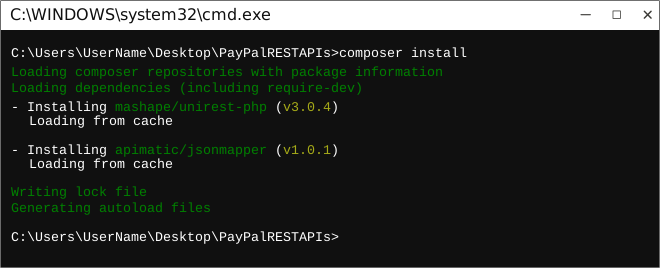
* Run the command `composer install`. This should install all the required dependencies and create the `vendor` directory in your project directory.
|
|
|
|
|
|
|
|
### Configuring CURL Certificate Path in php.ini
|
|
|
|
:information_source: **Note** This is for Windows users only.
|
|
|
|
CURL used to include a list of accepted CAs, but no longer bundles ANY CA certs. So by default it will reject all SSL certificates as unverifiable. You will have to get your CA's cert and point curl at it. The steps are as follows:
|
|
|
|
1. Download the certificate bundle (.pem file) from [https://curl.haxx.se/docs/caextract.html](https://curl.haxx.se/docs/caextract.html) on to your system.
|
|
2. Add curl.cainfo = "PATH_TO/cacert.pem" to your php.ini file located in your php installation. “PATH_TO” must be an absolute path containing the .pem file.
|
|
|
|
```
|
|
[curl]; A default value for the CURLOPT_CAINFO option. This is required to be an
|
|
; absolute path.
|
|
curl.cainfo = PATH_TO/cacert.pem
|
|
```
|
|
|
|
## Installation
|
|
|
|
The following section explains how to use the PayPalRESTAPIsLib library in a new project.
|
|
|
|
### 1. Open Project in an IDE
|
|
|
|
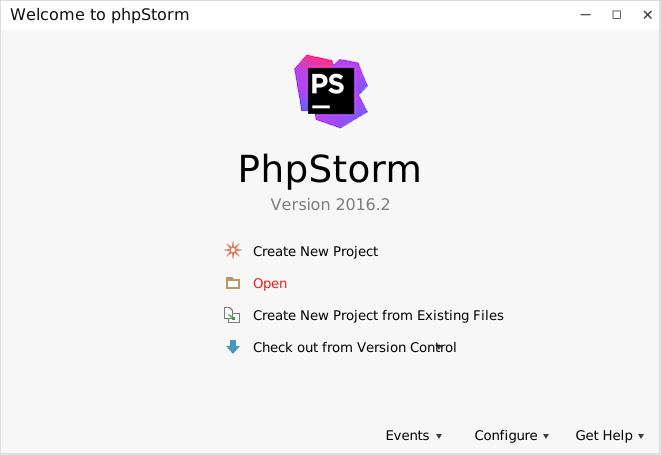
Open an IDE for PHP like PhpStorm. The basic workflow presented here is also applicable if you prefer using a different editor or IDE.
|
|
|
|
|
|
|
|
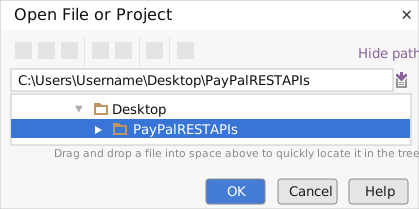
Click on `Open` in PhpStorm to browse to your generated SDK directory and then click `OK`.
|
|
|
|
|
|
|
|
### 2. Add a new Test Project
|
|
|
|
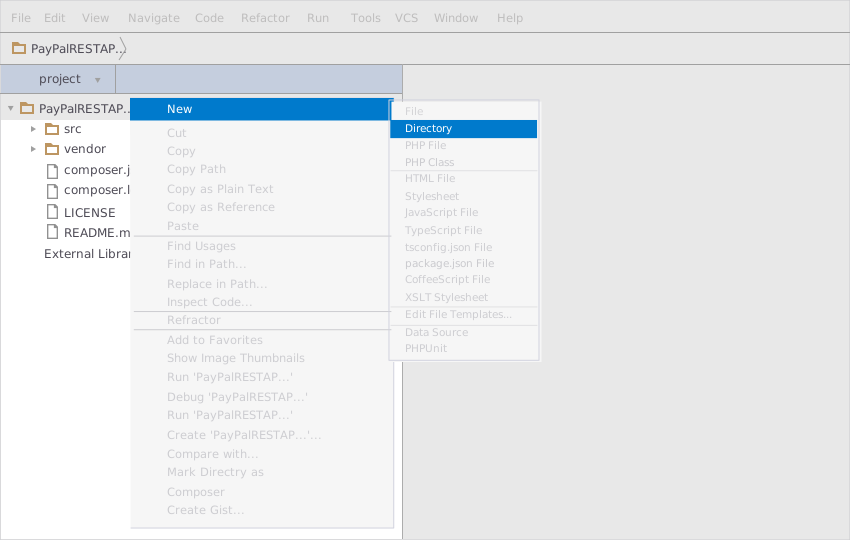
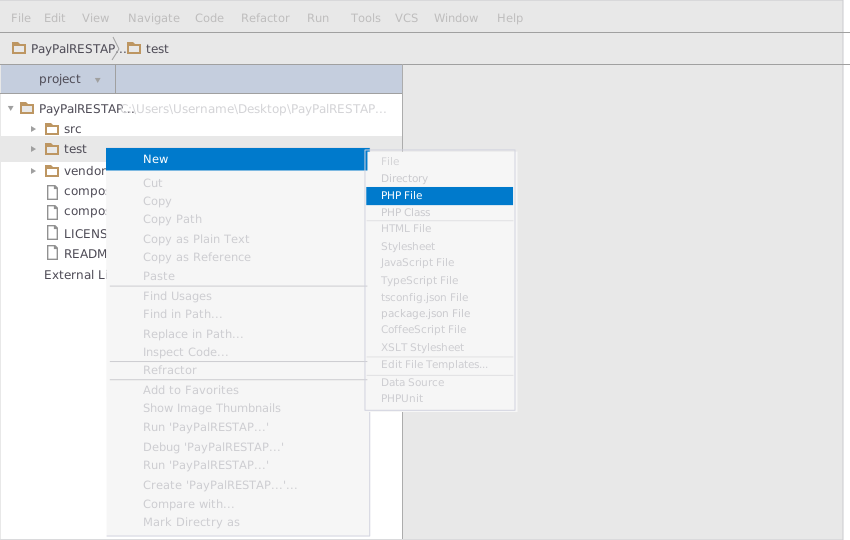
Create a new directory by right clicking on the solution name as shown below:
|
|
|
|
|
|
|
|
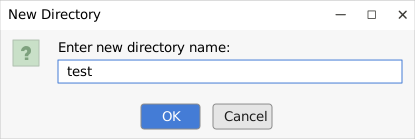
Name the directory as "test".
|
|
|
|
|
|
|
|
Add a PHP file to this project.
|
|
|
|
|
|
|
|
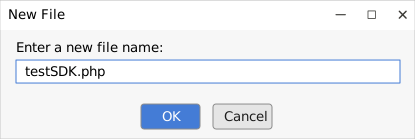
Name it "testSDK".
|
|
|
|
|
|
|
|
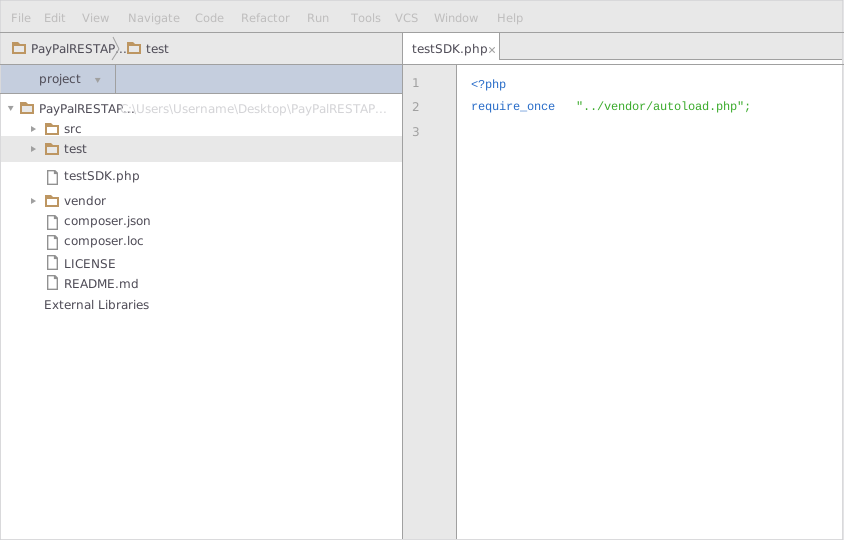
Depending on your project setup, you might need to include composer's autoloader in your PHP code to enable auto loading of classes.
|
|
|
|
```php
|
|
require_once "vendor/autoload.php";
|
|
```
|
|
|
|
It is important that the path inside require_once correctly points to the file `autoload.php` inside the vendor directory created during dependency installations.
|
|
|
|
|
|
|
|
After this you can add code to initialize the client library and acquire the instance of a Controller class. Sample code to initialize the client library and use the Controller methods is given in the subsequent sections.
|
|
|
|
### 3. Run the Test Project
|
|
|
|
To run your project you must set the Interpreter for your project. Interpreter is the PHP engine installed on your computer.
|
|
|
|
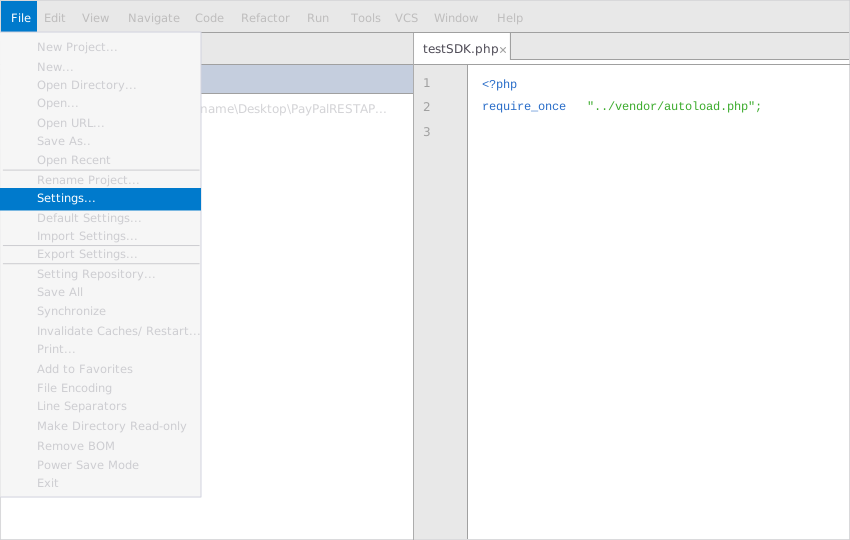
Open `Settings` from `File` menu.
|
|
|
|
|
|
|
|
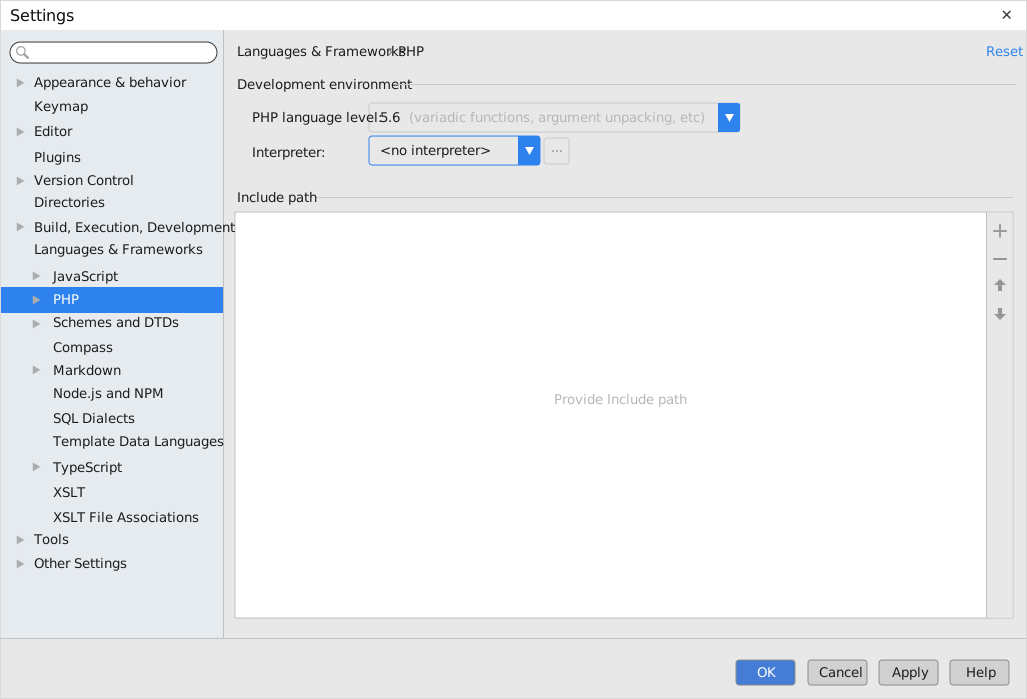
Select `PHP` from within `Languages & Frameworks`.
|
|
|
|
|
|
|
|
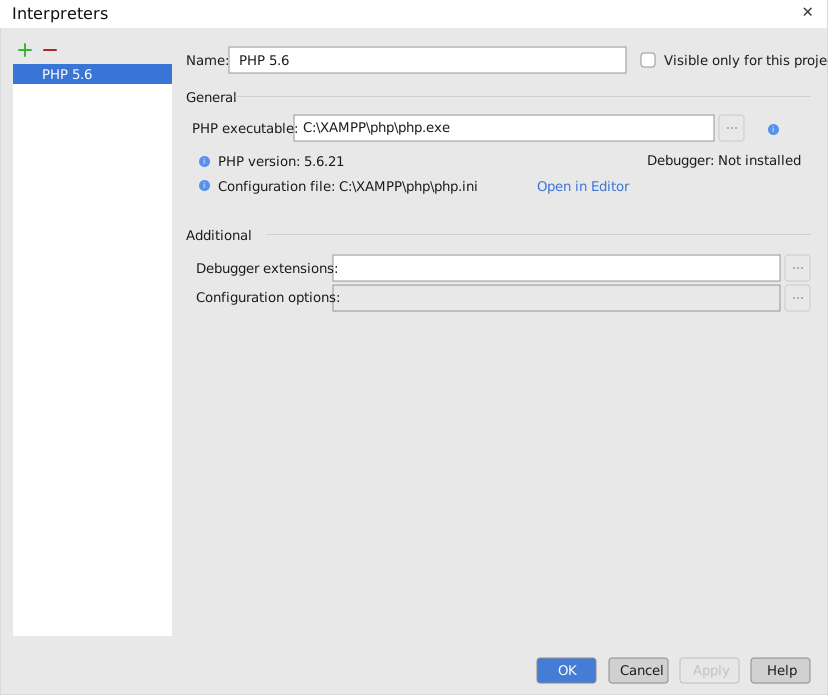
Browse for Interpreters near the `Interpreter` option and choose your interpreter.
|
|
|
|
|
|
|
|
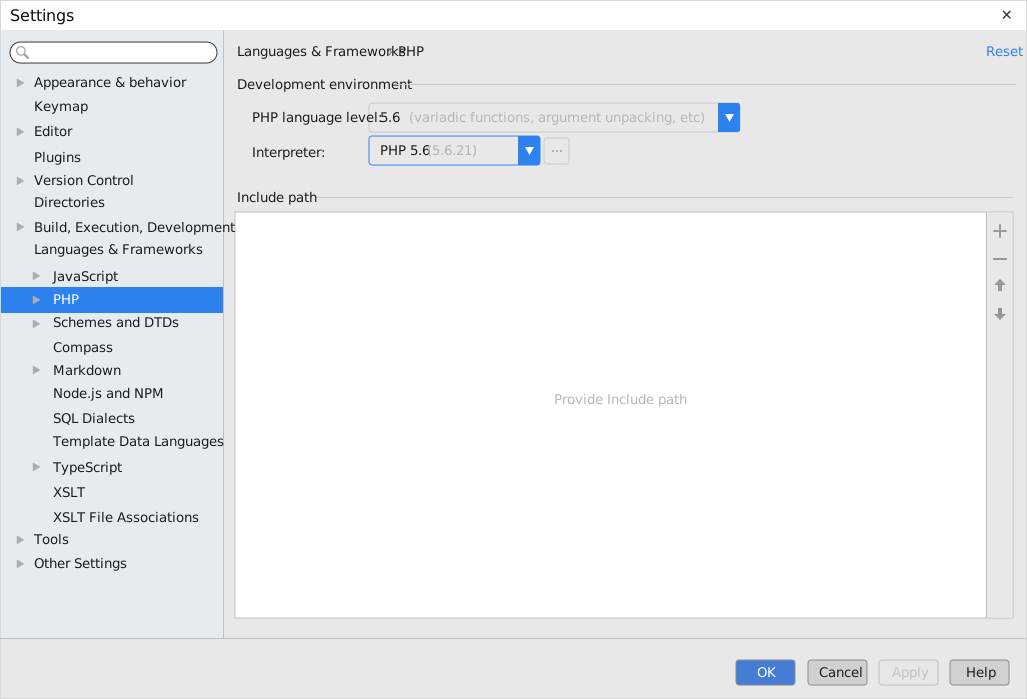
Once the interpreter is selected, click `OK`.
|
|
|
|
|
|
|
|
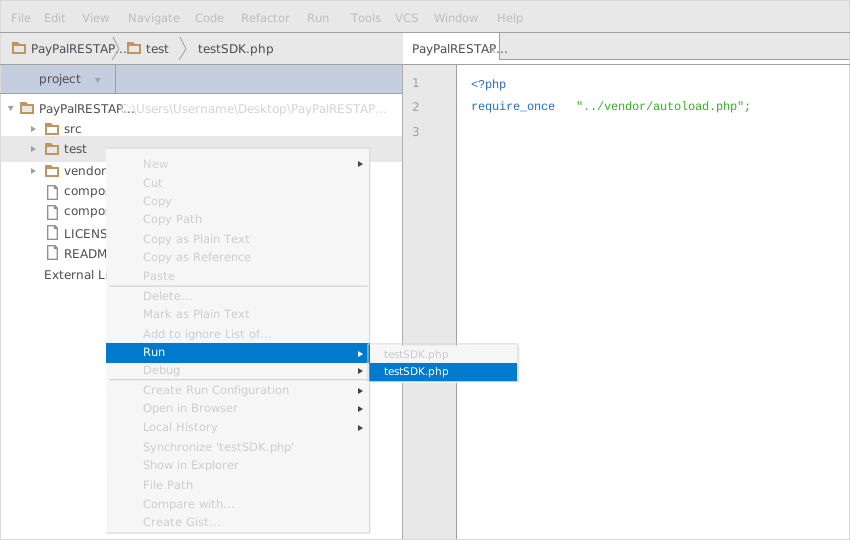
To run your project, right click on your PHP file inside your Test project and click on `Run`.
|
|
|
|
|
|
|
|
## Initialize the API Client
|
|
|
|
**_Note:_** Documentation for the client can be found [here.](https://www.github.com/moizgillani/paypal-php-sdk/tree/1.0.3/doc/client.md)
|
|
|
|
The following parameters are configurable for the API Client:
|
|
|
|
| Parameter | Type | Description |
|
|
| --- | --- | --- |
|
|
| `environment` | `Environment` | The API environment. <br> **Default: `Environment.SANDBOX`** |
|
|
| `timeout` | `int` | Timeout for API calls in seconds.<br>*Default*: `0` |
|
|
| `enableRetries` | `bool` | Whether to enable retries and backoff feature.<br>*Default*: `false` |
|
|
| `numberOfRetries` | `int` | The number of retries to make.<br>*Default*: `0` |
|
|
| `retryInterval` | `float` | The retry time interval between the endpoint calls.<br>*Default*: `1` |
|
|
| `backOffFactor` | `float` | Exponential backoff factor to increase interval between retries.<br>*Default*: `2` |
|
|
| `maximumRetryWaitTime` | `int` | The maximum wait time in seconds for overall retrying requests.<br>*Default*: `0` |
|
|
| `retryOnTimeout` | `bool` | Whether to retry on request timeout.<br>*Default*: `true` |
|
|
| `httpStatusCodesToRetry` | `array` | Http status codes to retry against.<br>*Default*: `408, 413, 429, 500, 502, 503, 504, 521, 522, 524` |
|
|
| `httpMethodsToRetry` | `array` | Http methods to retry against.<br>*Default*: `'GET', 'PUT'` |
|
|
| `loggingConfiguration` | [`LoggingConfigurationBuilder`](https://www.github.com/moizgillani/paypal-php-sdk/tree/1.0.3/doc/logging-configuration-builder.md) | Represents the logging configurations for API calls |
|
|
| `clientCredentialsAuth` | [`ClientCredentialsAuth`](https://www.github.com/moizgillani/paypal-php-sdk/tree/1.0.3/doc/auth/oauth-2-client-credentials-grant.md) | The Credentials Setter for OAuth 2 Client Credentials Grant |
|
|
|
|
The API client can be initialized as follows:
|
|
|
|
```php
|
|
$client = PayPalRESTAPIsClientBuilder::init()
|
|
->clientCredentialsAuthCredentials(
|
|
ClientCredentialsAuthCredentialsBuilder::init(
|
|
'OAuthClientId',
|
|
'OAuthClientSecret'
|
|
)
|
|
)
|
|
->environment('Sandbox')
|
|
->loggingConfiguration(
|
|
LoggingConfigurationBuilder::init()
|
|
->level(LogLevel::INFO)
|
|
->requestConfiguration(RequestLoggingConfigurationBuilder::init()->body(true))
|
|
->responseConfiguration(ResponseLoggingConfigurationBuilder::init()->headers(true))
|
|
)
|
|
->build();
|
|
```
|
|
|
|
API calls return an `ApiResponse` object that includes the following fields:
|
|
|
|
| Field | Description |
|
|
| --- | --- |
|
|
| `getStatusCode` | Status code of the HTTP response |
|
|
| `getHeaders` | Headers of the HTTP response as a Hash |
|
|
| `getResult` | The deserialized body of the HTTP response as a String |
|
|
|
|
## Environments
|
|
|
|
The SDK can be configured to use a different environment for making API calls. Available environments are:
|
|
|
|
### Fields
|
|
|
|
| Name | Description |
|
|
| --- | --- |
|
|
| Production | PayPal Live Environment |
|
|
| Sandbox | **Default** PayPal Sandbox Environment |
|
|
|
|
## Authorization
|
|
|
|
This API uses the following authentication schemes.
|
|
|
|
* [`Oauth2 (OAuth 2 Client Credentials Grant)`](https://www.github.com/moizgillani/paypal-php-sdk/tree/1.0.3/doc/auth/oauth-2-client-credentials-grant.md)
|
|
|
|
## List of APIs
|
|
|
|
* [Orders](https://www.github.com/moizgillani/paypal-php-sdk/tree/1.0.3/doc/controllers/orders.md)
|
|
* [Payments](https://www.github.com/moizgillani/paypal-php-sdk/tree/1.0.3/doc/controllers/payments.md)
|
|
* [Vault](https://www.github.com/moizgillani/paypal-php-sdk/tree/1.0.3/doc/controllers/vault.md)
|
|
|
|
## Classes Documentation
|
|
|
|
* [ApiException](https://www.github.com/moizgillani/paypal-php-sdk/tree/1.0.3/doc/api-exception.md)
|
|
* [HttpRequest](https://www.github.com/moizgillani/paypal-php-sdk/tree/1.0.3/doc/http-request.md)
|
|
* [HttpResponse](https://www.github.com/moizgillani/paypal-php-sdk/tree/1.0.3/doc/http-response.md)
|
|
* [LoggingConfigurationBuilder](https://www.github.com/moizgillani/paypal-php-sdk/tree/1.0.3/doc/logging-configuration-builder.md)
|
|
* [RequestLoggingConfigurationBuilder](https://www.github.com/moizgillani/paypal-php-sdk/tree/1.0.3/doc/request-logging-configuration-builder.md)
|
|
* [ResponseLoggingConfigurationBuilder](https://www.github.com/moizgillani/paypal-php-sdk/tree/1.0.3/doc/response-logging-configuration-builder.md)
|
|
|